Mastering the Benefit Color Design Token for UI Systems
A benefit color design token is a semantic variable that maps raw color values to functional UI states like success, confirmation, or positive feedback. By replacing hardcoded hex codes with these tokens, design systems ensure consistent visual cues, effortless dark-mode adaptation, and streamlined maintenance across multi-platform product teams.
What is a benefit color design token and why use it?
Benefit color design tokens are semantic variables indicating state or success. Abstracting hex values into semantic roles prevents hardcoded inconsistencies across large codebases. When developers write raw hex values directly into component stylesheets, updating a brand color requires manually hunting down thousands of instances across web and mobile repositories. Semantic variables decouple the visual value from the structural implementation, mirroring foundational strategies found in color in UI design frameworks.
| Attribute | Raw Hex Values | Semantic Tokens |
|---|---|---|
| Maintenance | Requires manual updates across every component file. | Updates in one central token file propagate instantly. |
| Readability | `background: #22c55e` offers zero contextual intent. | `background: var(--color-success-bg)` explains its exact purpose. |
| Theming | Hard to invert for dark mode without rewriting classes. | Swaps underlying palette maps automatically via variables. |
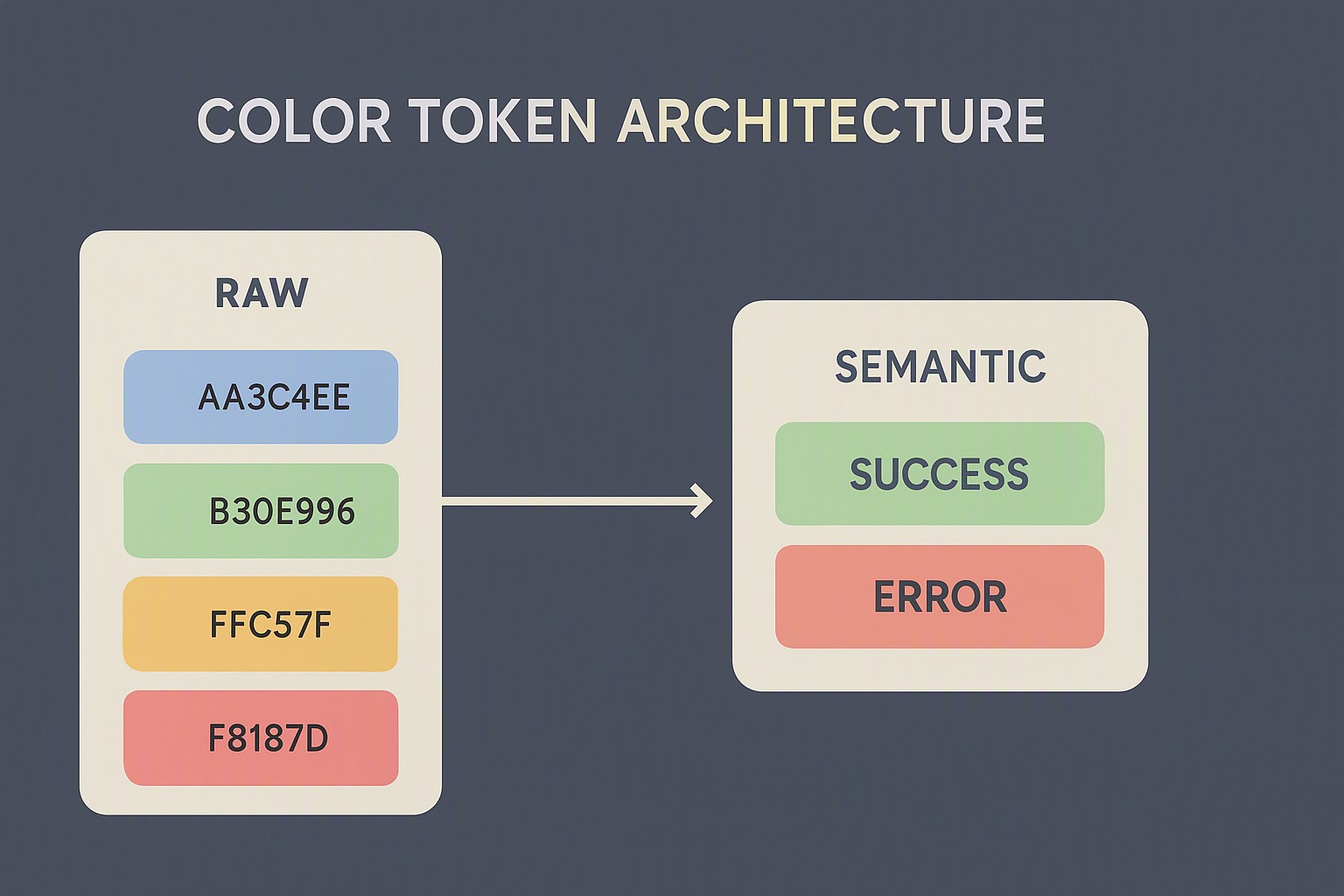
How do semantic tokens structure user feedback in modern interfaces?
Benefit colors handle positive actions, success alerts, and confirmation states. These functional variables ensure that a green button indicating a successful payment shares the exact same hue and contrast ratio as a toast notification confirming a profile update. Designers building these systems must also consult established standards such as the Web Content Accessibility Guidelines to guarantee that interactive state indicators meet minimum contrast thresholds for users with visual impairments.
Incorporating structured UI feedback colors prevents arbitrary shade selections by contributors who might otherwise invent new hues on the fly. Accessibility color contrast failures occur when teams treat state indicators purely as aesthetic choices rather than functional communication tools.
What are common pitfalls when implementing design tokens?
Over-abstracting tokens leads to bloated design systems. When teams create three separate variables for subtly different shades of green success states, maintenance grinds to a halt because developers cannot discern which token to use. Naming conventions fail when developers and designers name a token after its color instead of its function.
Real-world maintenance bottlenecks emerge when refactoring legacy color systems that lack proper design system tokens. Swapping out a hardcoded palette in a monolithic application often introduces visual regressions because the original intent of the color choice was never documented in code. Establishing clear guidelines helps teams avoid these architectural missteps, much like avoiding clutter in top light color palettes for minimalism where restraint dictates success.
How do you integrate tokens into your existing workflows?
Synchronization workflows connect Figma token plugins directly to code repositories. Design systems teams export JSON token files into GitHub repositories via automated pipelines, ensuring that designers and engineers work from a single source of truth. Audit current app colors before token migration using these steps:
1. Scan existing stylesheets to catalog every unique hex value currently in production.
2. Group disparate colors into functional buckets such as neutral, brand, and state feedback.
3. Map raw values to a unified set of semantic variables within your design tool.
4. Push the token schema to your code repository and replace hardcoded values incrementally.
For teams maintaining complex spatial data interfaces, structuring these rules resembles the precision required when executing accessible geospatial heatmap palettes.
Frequently asked questions
What is the difference between a primitive color and a benefit color token?
Primitive colors are raw values like blue-500 or hex codes that hold no contextual meaning. Benefit color tokens are semantic aliases like success-background or action-positive that describe what the color does rather than what it looks like.
How do benefit color tokens handle dark mode switching?
Because tokens decouple the semantic role from the raw color value, your application can automatically swap underlying palette references when toggling themes without altering component code.
Who should manage and maintain design tokens in a team?
Design tokens are best maintained collaboratively through a shared token governance workflow managed by design system engineers, product designers, and frontend developers.


Comments
Post a Comment